PX7 VIDEO RECORDER

Capture the moment.
Keep it local.

Record a display, one window or exactly the region you need—with system sound, microphone and camera ready when you want them.

Version 1.0.28 · macOS 14 or later · 7-day trial

PX7 Video Recorder

Any screen.

System sound.

Camera and voice.

No upload.
DISPLAY Everything Useful for demos and presentations
WINDOW Only the app Keep the rest of your desktop private
REGION Exactly this Draw around the part that matters
01

Choose what is visible

Record a complete display, one app window or a region you draw yourself. Recorder keeps its own controls out of display captures.

02

Keep sound editable

Capture system sound and your microphone together while preserving them as separate tracks in the QuickTime recording.

03

Put yourself in the frame

Drag and resize the camera freely, or snap it to any corner. Choose a circle, rounded or square frame with mirroring, border and shadow.

04

Pause without making fragments

Pause for a break, resume when ready and finish with one continuous recording instead of a folder full of pieces.

05

Finish the ends

Review the result immediately, set a cleaner beginning and ending, then export a trimmed copy without touching the original.

06

Frame it for where it goes

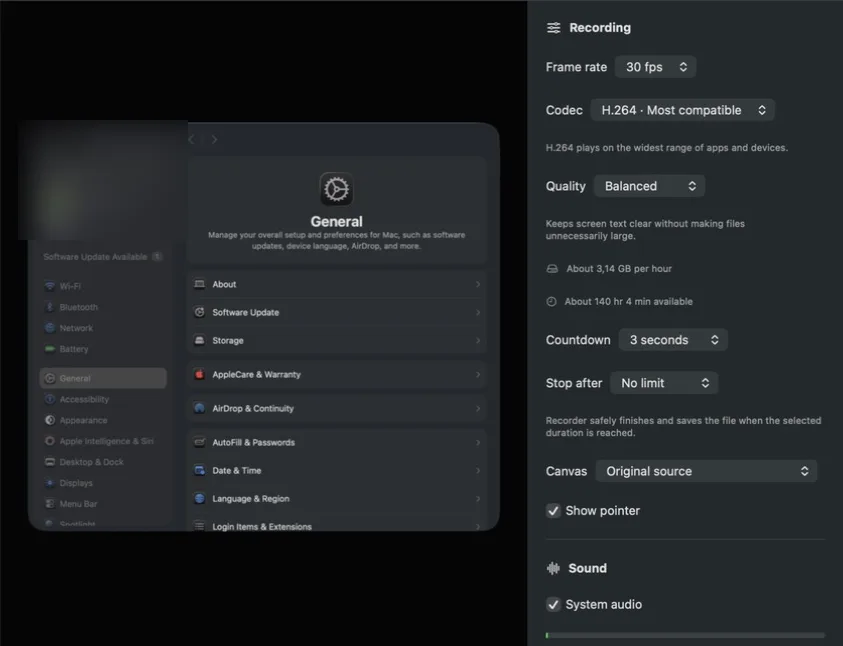
Record in 16:9, 9:16, 4:3, 3:4 or square. Use Fit with your own background color, or Fill for an edge-to-edge canvas.

PRIVATE BY DESIGN

Your screen recording stays on your Mac.

No account, cloud workspace or subscription. Recorder touches the screen, camera and microphone only when you choose to record them.

PX7 Video Recorder

VERSION 1.0.28

Know when a take drops frames.

Recorder now detects video frames the Mac could not encode in time. A persistent warning shows the exact count while recording, so a stressed take is never silently accepted.

Quick answers

Questions about PX7 Video Recorder

What is PX7 Video Recorder?
Record a display, window or region with system sound, microphone and camera. Native, local and subscription-free.
Where does PX7 Video Recorder do its work?
PX7 Video Recorder processes video locally on your Mac.
How much does PX7 Video Recorder cost?
PX7 Video Recorder costs €19 once. It includes a seven-day trial, and one app-specific key can be used on up to seven Macs. There is no subscription.
Which Macs can run PX7 Video Recorder?
macOS 14 or later on an Apple silicon Mac
How do I record my screen on a Mac?
Choose a whole display, a single window or a region you draw, then record. PX7 Video Recorder captures that with system sound, microphone and camera available when you want them.
Can I record system audio while screen recording?
Yes. The Mac's own sound is captured alongside the picture, and it stays on its own track so it can still be adjusted afterwards rather than being baked into the video.
Can I record my screen and camera at the same time?
Yes — the camera can be placed in the frame while the screen is recorded, so a walkthrough and the person presenting it end up in one file.
Can I pause a screen recording and continue?
Yes, and pausing does not split the result into fragments to stitch together later; you finish with one continuous recording.
Can I record vertical or square video?
Yes. Choose the original source, 16:9, 9:16, 4:3, 3:4 or 1:1, then use Fit to keep everything visible or Fill for an edge-to-edge crop.